Router no-connect
Login problems with Ali-Express ongoing but now cannot connect to my new Flint 6000 router control to change things, hence lost my MG3600 WiFi scanner/printer. Any other Browser has no problem with these things.
Posts from every feed QUEST has found across the web — blogs, news, podcasts, channels and more.
A list of topics that have been active within the past 24 hours
Login problems with Ali-Express ongoing but now cannot connect to my new Flint 6000 router control to change things, hence lost my MG3600 WiFi scanner/printer. Any other Browser has no problem with these things.
I live in Western N.C. right near Mt.Mitchell the highest point in eastern USA right off of the beautiful Blue Ridge Parkway and certain times of the day when the sun feels close enough to grab and clouds nestle between the peaks they look like litle islands in the sky like that 80s song.This picture reminds me of it maybe the botom of the mountains getting ready to climb those majestic giants. This is an excellant pic. they should try some pics of rain storms moving in on some sunny ridges and…
@OfficialLazarheaD said in Browser Assistant, what is that?: @OperaTab Alright, I've done it. Better not see it again! Nope, it's back again. Damn you all.
Opera 138 on occasion simply closes down and reboots itself.
Could we have the option to place vertical tabs on the right side or at the bottom? When both the sidebar and vertical tabs are enabled, they are both positioned on the left, which becomes somewhat inconvenient; furthermore, having the sidebar and the tabs on the same side doesn't look very good aesthetically.
Same issue. Opera Browser Assistant (browser_assistant.exe) was already disabled in Task Manager > Startup Apps. In Opera GX settings, "Run when my computer starts" was already disabled. I've now disabled "Opera GX scheduled assistant Autoupdate" and "Opera GX scheduled Autoupdate" in Task Scheduler. Didn't appear on this restart. However, this doesn't guarantee it will continue working after Opera GX is updated. The more permanent recommendations I've found so far are to use an app blocker or…
@bbildman You probably just have to wait for a fix. Or, for now, you can goto the URLs opera://settings/adBlockerLists and opera://settings/trackerBlockerLists, when adblocking and tracking are enabled, disable a list that's enabled, restart Opera and see if the crashes stop. Maybe you'll find that it's a specific list (or lists) that's the culprit. An alternative though would be to leave Opera's adblocking and tracking protection disabled and just use uBlock Origin.
Se o Pinterest não funciona mesmo depois de várias tentativas, vale verificar se o problema acontece apenas no Opera ou também em outros navegadores. Tente limpar o cache e os cookies do site, atualizar o navegador e desativar temporariamente as extensões para identificar possíveis conflitos. Se continuar sem funcionar, observe se aparece alguma mensagem de erro ou se a página fica carregando sem parar. Também pode consultar saveinsta.com.br para conhecer opções de ferramentas online…
Our extension (ID aoghjeonfkfhkldgoajobcepfjmdinff) is "only" waiting for around a week and after it was approved on Chrome and Firefox within just a few days, I was searching how long we can expect for Opera - so I was ending up here. But looks like some extensions are waiting for years apparently, this is pretty ridiculous! While the user base of Opera is not that big, I kind of liked that browser, so I thought we just submit it there as well. But looks like we as developers should just…
I forgot to add -- you need to leave Developer Mode turned on in the Opera Extensions page.
@Lolinontot Hi there, Open the Note Sidebar Options page -> in the Advanced Options -> Storage, and enable local storage, which provides unlimited storage. However, your notes will not sync across your other Opera browser devices. If you need any further assistance, please do not hesitate to use the official support at https://www.stefanvd.net/support Thanks,
i use charcoal filters ive used the plastic ones and now i think i got the string kind they work best but you have to be dilagent about keeping them changed once they are dirty they start to stink and i imagine make the water taste worst than toilet water. we had a huge huge flood and well was under water bad water i dont drink it so couldnt tell you what it taste like it used to be excellent but a few changes to the enviroment changed all that.how affordable are your filters do you sell them…
i love this shot makes an excellent screen saver or ever a post card or if you want to go real big a lazer print tapestry. but i give this photo as a screen saver a 9.5 a near perfect score it could've been taken when it was a little more sunnier or it could 've easily been edited to being a hair lighter , more light.
It is very strange that this problem keeps coming back, just when things seem to be going well. @MichaIng You said that I installed Opera stable completely freshly, did not migrate my profile, setting or any such, and after some days/weeks of usage, the issue reappeared. that's why I don't even feel like trying to set up a new profile 😂 When I added this to my Opera startup link, permissions remained stable for maybe a week, before the issue reappeared. I can check that, I'll try running the…
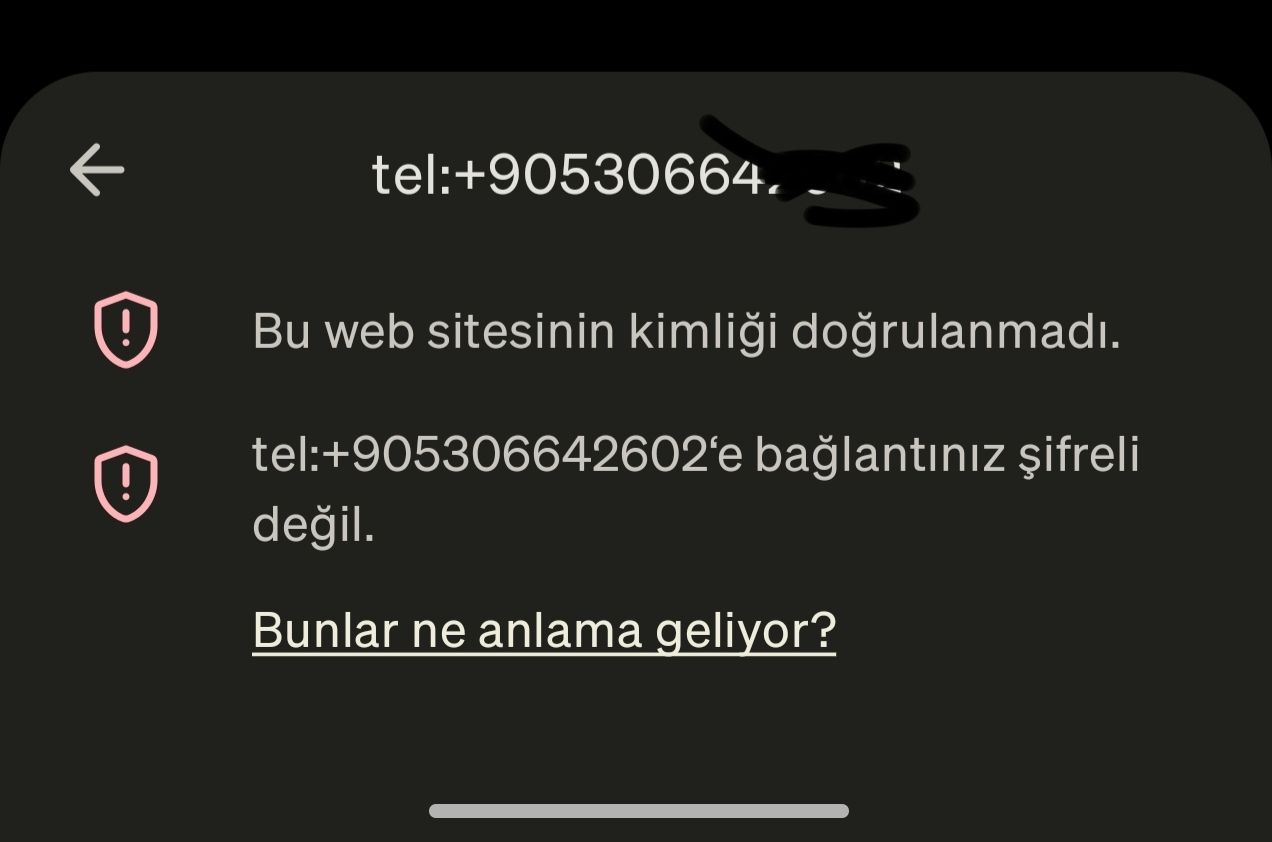
Device & App Details: Device: OnePlus 15 OS: Android 15 Opera Version: 103.0.5234.90813 for Android Issue Description: In the latest Opera update on Android 15, clicking a phone number link (e.g., on contacts.google.com) no longer triggers the system app picker (Phone app or Truecaller) to place a call. Instead, Opera treats the tel: URI scheme (e.g., tel:+905306666666) as an unencrypted web URL and blocks the action with a security warning: "Connection is not secure - You should not enter any…
@abitkulova Couldn't notice any visual difference so far.
@Sound-Doctor you can try removing them from Opera’s profile menu by opening the profile section and checking for an option to manage or delete profiles. If you mean saved website login IDs rather than Opera profiles, go to Settings → Privacy and security → Password Manager and remove the entries you no longer need. The exact steps depend on which type of User IDs you want to remove
@Alixzander that sounds really annoying, especially when you have so many YouTube tabs open. Which browser are you using? The setting might be different depending on whether it’s Chrome, Firefox, or another browser.
@Footytang Same thing happen in a test standalone installation?
To clarify: Either Gemini web app: in Settings → Connected Apps, add a custom app and paste the server address. https://connector.mcp.opera.com/mcp Google says the server must follow the standard specification, and you'll need to enter sign-in credentials if the server doesn't support automatic registration of new apps. OR Gemini CLI: run gemini mcp add --transport http opera https://connector.mcp.opera.com/mcp then /mcp auth opera if sign-in doesn't start by itself. You don't need to do both!
Not able to redeem those daily checking rewards USDT 0.004, are u facing the same?
@Xss75 Since clearing the cache didn't help, try turning hardware acceleration off, restarting Opera, and testing the pointer again. Sometimes GPU drivers cause stuttering rather than fix it. If there's no difference, test with extensions disabled and check Task Manager to see whether Opera is using unusually high CPU or memory.
@burnout426 Been 2 days. Haven't got the crash and restart error since. Thank you for the tips and the Opera team for fixing it.
@jamessmith1 I'd test with extensions disabled first and see if it still happens. If it does, try a clean Opera profile. Since it's happening across multiple sites, I'd suspect an extension or Opera bug rather than the websites themselves.
@zerox4: I'm not sure how to extract zip into a folder. If you could elaborate it would help