A
Quando eu abro uma planilha formato XLS, na qual consta uma chave de NFE (Nota fiscal eletrônica), a qual está na planilha original assim: 24261022122704000170550010001489981020348083 (este é o formato da chave da NFE). Porém quando abro o arquivo pelo LibreOffice Calc, o número acima vem assim na célula: 2,4261022122704E+043 — o que está incorreto; teria que vir no Calc exatamente como é a o formato da chave. Alguém teria uma solução para resolver este problema? ,
A
Thanks for the response, Yeah the wiki page ajittoz and EarnestAI mention is the Goth language I’m referring too, also I’m using 26.6, so good to know hexadecimal is in a newer ver, thanks! Im using.odt. My last port of call is I think either yielding to the limitations or working on the source code and creating custom build.
A
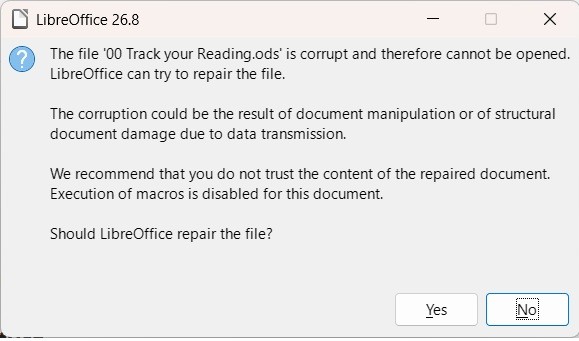
Thanks @Wanderer , yes I always have back ups. I have back ups of back ups. I just find it strange that it corrupted random documents yesterday. I lost two in “word” and one in “excel”. I have not checked the remainder of the documents on that memory stick yet. Although, apart from the three documents I am currently working on, the others will all still be up to date. Still need to “eliminate” a possible corrupt memory stick.
A
Thanks @Hrbrgr, I have been using this memory stick for months every day. I save on various other facilities as well as cloud for back ups. This one is one of two “working” memory sticks and I have not had a problem since I started using it.
A
AnnyM09: My first surmise is that if it opens fine in download but corrupts when I open it from memory stick, is that the memory stick is suspect and could be going faulty and thus corrupting the files Yes this should be the first step. Try with another stick, if you have the same problems there. AnnyM09: It does not seem like it can be recovered The files are compressed archives. You may try tools to repair zip-files, but having backups os the better option.
A
Je kunt het volgende proberen. Start de installatie opnieuw. Kies voor Wijzigen (standaard). Klik op het plusteken voor Talen voor gebruikersinterface. Kijk of Nederlands aangevinkt staat (waarschijnlijk niet). Selecteer deze alsnog en maak de installatie af. Dan zou deze nu wel bij de interface-taal gekozen kunnen worden.
A
USB flash drives are very slow storage devices; therefore, after saving data to one, you should always wait until the operating system has released it. Please read: https://wiki.documentfoundation.org/Videos/Preventing_data_disaster#Short-term_storage_/_Backup
A
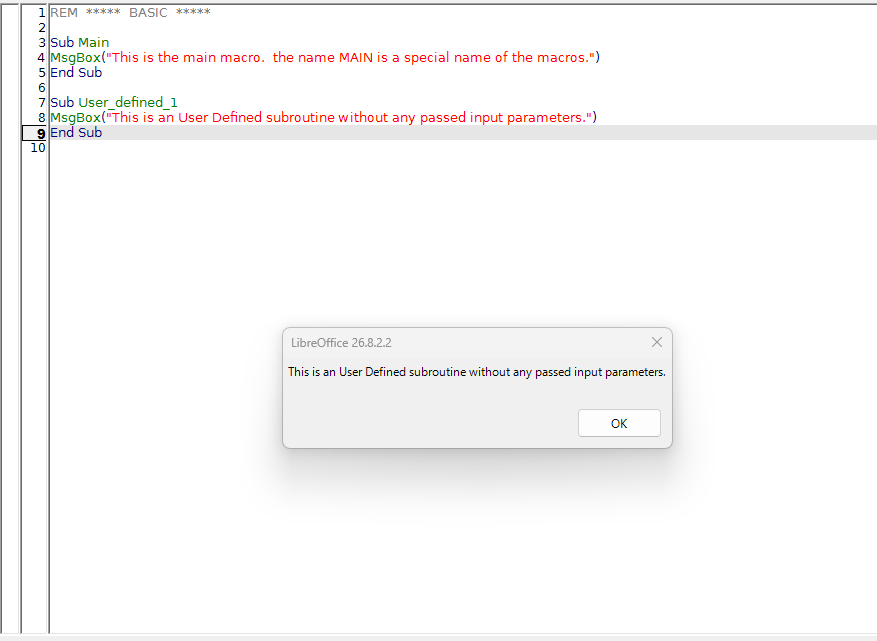
MosheAriel: Does this mean that I can now click on Run Macro and the program will not close down? Try it. My LibreOffice not close down whewn I launch my sample macro. … And try to upload your macro code here. (Not an image of it, but the text of the code, like the my sample code): REM ***** BASIC ***** Sub Main MsgBox("This is the Main macro. The name Main is a special name of the macros.") End Sub Sub User_defined_1 MsgBox("This is an User Defined Subroutine without any passed input…
A
I have a .calc file that corrupts every time I add it to my memory stick. This started yesterday 10 November 2026. Not sure why. I have scanned the memory stick for viruses. I downloaded a backup copy from my cloud drive. In the Download folder it opens fine, the moment I copy it to my working memory stick it opens as corrupt. My first surmise is that if it opens fine in download but corrupts when I open it from memory stick, is that the memory stick is suspect and could be going faulty and…
A
Hi Ziz, So the Second code ran. Here’s a pic. This looks very promising, but what does it mean? Does this mean that I can now click on Run Macro and the program will not close down?
A
Dana 7. studenoga 2026. objavljena je nova inačica dodatka za provjeru gramatike, ali i dodatka za provjeru rječnika, potrebno je ažurirati oboje. Ispravljen je značajan broj lažnih uzbuna.
A
MosheAriel: Where can I find the macro code please? You must know where the macro code was stored to. into the document into the LibreOffice Profile Where you try to launch the macro from? Which place (document or profile), which Library, which Module? Use the built-in macro editor (if it is a StarBasic macro) to copy-paste the macro code here.
A
I have read articles about difficulties LibreOffice has in working with some OOXML documents created with Microsoft Office. The default format in Microsoft Office is Transitional OOXML. I think it would make sense to take an initial step of converting the documents to Strict OOXML in Microsoft Office (Save As Strict Open XML Document). The full workflow would be: Transitional ➞ Strict (by MS Office) Strict ➞ ODF (by LibreOffice) Microsoft knows Transitional better than anyone. Some users, such…
A
Hi Ziz, thanks for your help. Please tell me how to get the macrocode when I click on Run Macro. The program immediately closes when I do. Where can I find the macro code please? Have a great day.
A
Thanks nobu, I followed your procedure - set the macro level to the highest and there are no trusted certificates. With macros disabled I still have the problem when I try to look at the macro code. LO crashes instantly when I click on the macro name. When this happens, the Windows task list shows four versions of LibreOffice running. When I open any other LO file, there is only one version running - I assume that is normal. So I have done something drastically wrong. Today I started over and…
A
It’s a Libreoffice bug. 105972 – PDF form export does not save field types Even though the bug report says it was fixed in 2022, the bug is still there in LO version 26.2.6.3. Sigh. It seems to be fixed in the current git master, which I downloaded from Index of /daily/master/ The fix should be in 27.x
A
I have found an issue with my macros: The kerning was not only affecting the space where the VisualCursor was, but also the area after the next character. So the range should only be one character. This is corrected here: sub SetSpacingMinus Dim oText 'Save typing ThisComponent.Text Dim oViewCursor 'Save typing ThisComponent.CurrentController.getViewCursor() Dim oTextCursor 'Created text cursor oText = ThisComponent.Text oViewCursor = ThisComponent.CurrentController.getViewCursor() oTextCursor…
A
Hm, interesting. That goes a bit too far I think… Kerning is not 100% metric. Automated kerning is quite good nowadays, but there is a lot of “does it look good to me” subjectivity in the details, and it can change depending on the letter’s shapes.
A
Jeffo54: “We” and “To” how to programmatically determine the length (distance) of a formatted line of text (string) in pixels (cm, ...)?
A
Thank you @sokol92, this is another good idea. I did not know there’s a Character Spacing button The solution with two macros that add and substract kerning and shortcuts to access them multiple times in a row may just be a little bit more flexible for me, because I don’t know if the same value will be working on “We” and “To”, for example. Also, I am used to InDesign and Affinity, where it works similarily. I would actually love to see such a manual kerning override “hard-coded” in LO writer
A
(just had some connection issues, hope this will not be double posted) Thanks a lot! It works, also when I changed the line to reduce the kerning from the current value oCursor.CharKerning = oCursor.CharKerning - 20 After playing around, I noticed it would be easier to just put the cursor between the two letters needing kerning adjustments. No need for a selection. So with the help of “OpenOffice.org Macros Explained - OOME Fourth Edition” I was able to cobble together this: sub SetSpacingMinus…
A
I use Linux and have LibreOffice installed. Everything works perfectly fine except when I send .docx and .doc files to other devices, it can’t open and says “Unsupported file type” (it’s an Office Writer). Also, my PC, which I was using to save the file, can open them, but the other devices can’t. I tried to use a phone, tablet, pc (Microsoft) to open the files but it won’t work. Other devices can only open PDF files. Not only open but other devices can’t download them either. This is the…
A
Sorry. In the Basic IDE there is a “Run” menu with a “Compile” command. Compile each module until the command reveals an error. Then debug or remove the module.
A
got it ! apparently the install, rebootdid the trick1 Thanks, Jim THE BookMan
A
Strab: Restarting in Troubleshooting Mode (either 1 or 3) caused quite a bit of hassle Did you download the correct version for your chipset? Strab: Toolbar showed up with a light green background — a very nice thing for readability. Can this be activated in the earlier version, 26.2? No, see ReleaseNotes/26.8 - The Document Foundation Wiki
A
Hi, @Sandman192, pode ser feito com macros e Menu personalizado, veja exemplo axexo: Hi, @Sandman192, this can be done using macros and a custom menu; see the attached example: The menu can be attached to the file itself or to Writer. Sandman192_138957.odt (17,1,KB)
A
As of LibreOffice 26.8, it depends on the UI language. On the same install, the shortcut works if LibreOffice is in French, but not in English (en-US).
A
Seem to be this: 60064 – [Feature request] define positional origin for tab stops
A
Same here with Version: 26.8.2.2 (X86_64) Build ID: 9dea406ab7695df6325b11b0e19fdca8db4b7276 CPU threads: 4; OS: Linux 6.12; UI render: Skia/Raster; VCL: gen Locale: de-DE (de_DE.UTF-8); UI: en-US Calc: threaded »Unfortunately, a problem has occurred that could not be resolved by the system. Please, log off and try again.« Like so many other problems, this one goes away with VCL=gen. Gtk and LibreOffice are not best friends.