Buttons not working after switching scenes
removed it and it still doesnt work sadly
Posts from every feed QUEST has found across the web — blogs, news, podcasts, channels and more.
removed it and it still doesnt work sadly
i was using it to make the scene change a bit after the scene transition animation started, ill remove it now to see what happens
nvp_2: await get_tree().create_timer(0.5).timeout Why do you have this here? Try to avoid using await as they can cause a lot of issues and hard to identify bugs.

heres the code for the buttons @warning_ignore(“missing_tool”) extends Button class_name redirect_button @export var target_scene_path : String func _ready() → void: print(“a”) pressed.connect(switch_to) func switch_to(): var packed_scene = ResourceLoader.load(target_scene_path) as PackedScene GlobalFunctions.switch_scenes_packed(packed_scene) and yes, i did set the uid in the scenes to be correct also heres the “switch_scenes_packed()” function code in case u need it func…
Could you show me your code now? Did you set the Scene UID in both scenes to the correct one in the inspector?
i tried this and it still didnt work, the first scene switch in the game over screen works, but once i get to the menu the button still cant be clicked
What I mean is that instead of using PackedScene as the target, use a string, and in the switch_to function, you can do something like this: var packed_scene = ResourceLoader.load(target_scene_path) as PackedScene GlobalFunctions.switch_scenes_packed(packed_scene) PS: You can get a packed scene’s UID by right clicking them and selecting “Copy UID” or something similar, forgot the exact wording.
what do you mean by dynamically loading it?, u mean using preloads?
You might have a circular dependency if you use a PackedScene like this. Say Scene A references Scene B, and Scene B references Scene A so you can go back and forth. As far as I know, Godot is REALLY not happy with things like this. I recommend using the scene’s UID instead, and dynamically loading it then setting it as the current scene.
Thank you very much for this, not only us it helpful in understanding your data moshing effect (which I just purchased on itch!) but also great insight into the compositor effect pipeline. I’m very curious about part 2 as I have not been able to make the effect appear on my player camera yet, not sure why.
We need to address the surge in AI-generated #Resources topics Forum Feedback Looking through the Showcase category, the pattern the last days is clear: New users who don’t show their profile are almost guaranteed to show an AI generated game. A grace period of a month or when you hit a badge like “First Mention” or “Welcome” before you can post ANY external link should fix the problem. If possible, a warning on the registration page to explain that this a community to help each other make…

ananasblau: Do you even need SteamFest if you already go that much traction? Right now they are 4 people who just finished their gamedev studies, started working full-time on it since the ending of that study this year, instead of applying for a job at a company, so yeah any traction is good as it will help them make a living. Most of them went back to live at their parents’ place after the study so that does help with the costs but still. They plan to release the full game at the 3rd of…
animationPlayer.play(“animation”, 0.5) allows us to set blend time for individual animation , whereas “default blend time” from the inspector will set blend time for all animations in animationPlayer. void play(name: StringName = &“”, custom_blend: float = -1, custom_speed: float = 1.0, from_end: bool = false) Plays the animation with key name. Custom blend times and speed can be set.

Yea the animation is only 0.4 but my dumb head thinking it will blend to the first keyframe first before playing the rest of that animation. (I used 10.5 to test because I thought it would take 10.5s to reach the first keyframe). I’ve been away from Godot too long. Also note to self: if you want to blend to a one key animation you can set it as loop and it will blend to it however long you want.
Major update to my game, I overhauled the UI, items and weapons, updated the monsters visuals, made a new mini map and map. And got multi player fully working! Video coming soon with more details! Playtesters wanted!
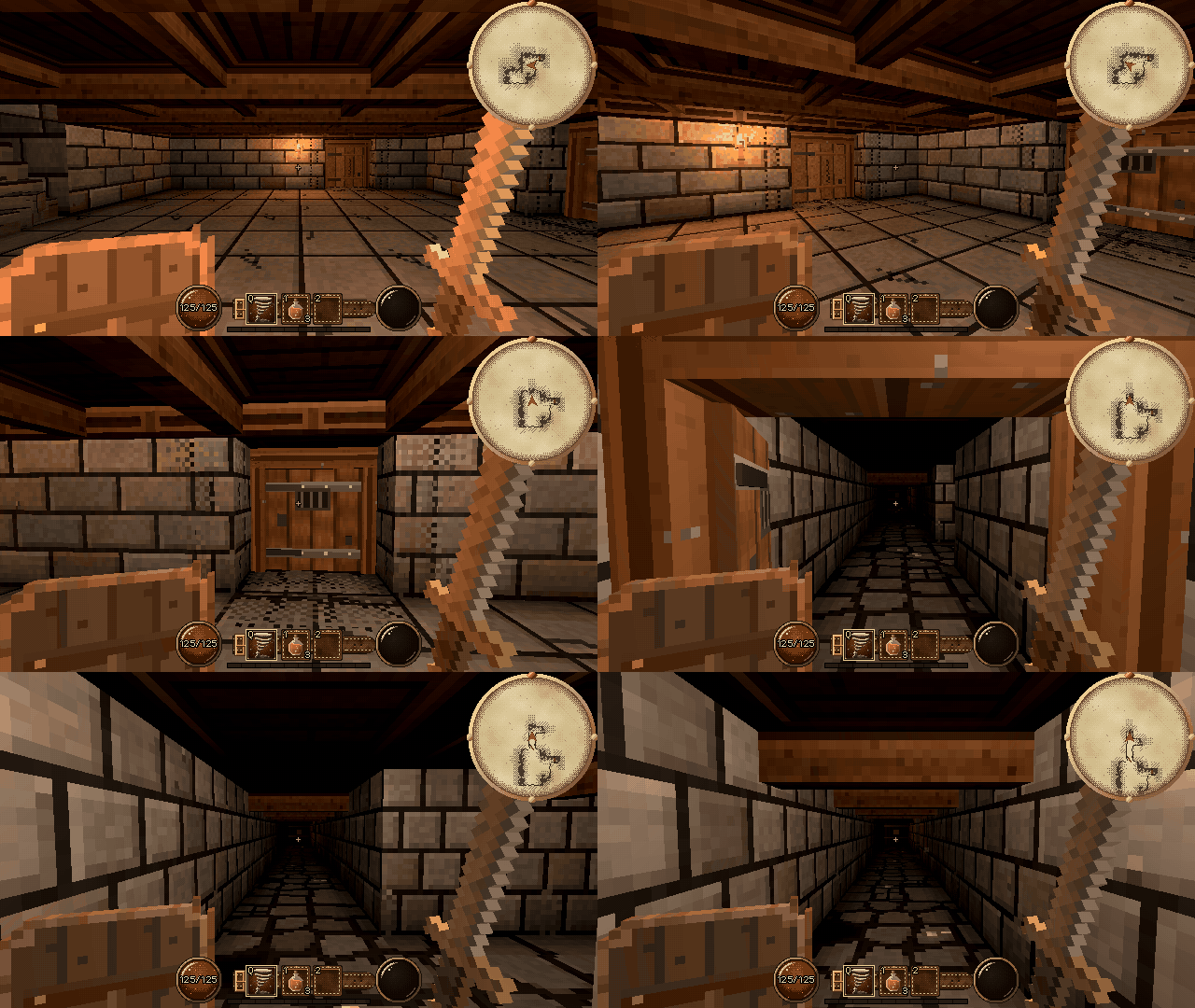
Looking good, the concept isnt for me personally, but the art style is very nice. Almost has a cubism look to it. (outside of the obvious facts its based generally on primatives).
Godot Version Godot 4.7.2 Question my baked lights not working
OriginalBadBoy: C# is a programming language though, thats all , nothing more nothing less I’m glad you’ve summarized yourself what Lore is. I don’t think we can advance this discussion further right now, sorry.

This is completely unrelated to the debug symbols, they aren’t in the editor binary before or after, beta1 just had a lot of optimizations for size, like: [Editor] Use single ZSTD blob for editor translations. by bruvzg · Pull Request #124108 · godotengine/godot · GitHub (about 18 MB) Compress embedded RD and GLES3 shader code to reduce binary size by akien-mga · Pull Request #124058 · godotengine/godot · GitHub (about 2 MB) But I also don’t see the reason to create this post on this forum
rainerdeyke: So in other words, it’s not an issue. Potentially, yes for now in its current version provided by Epic, not including UEFN.

flamenco687: Although it sounds reasonable, I don’t fully get why they are exposed. They are exposed for plugin development.

flamenco687: Hey look, I am also on the anti-ai wagon, but you seem like my friend who will oppose anything because “screw big corps”. I oppose AI in general when it comes to art and coding, yes. My view on companies in general is not what we are discussing here. flamenco687: You do realize using Lore does not report any profit to Epic, right? AI can scrape any data, Git or Lore, if they get access to it. It is not what is happening right now. Epic ‘profit’ if they are scrapping users code for…
Thanks for the information @Ali_Haider1129 but this post should rather belong to Resources > Tips & Tricks
There is technically a compiler if you really need the extra speed, but I would highly question what you’re doing where the base speed of the engine is too slow for you. github.com GitHub - DasDarki/grit: GDScript Compiler for Godot. GDScript Compiler for Godot.
If @Ali_Haider1129 is interested, there are certain projects attempting to transpile GDScript to native code. Ruzta and SafeGDScript. SafeGDScript actually manages to run natively but inside a sandbox, which comes with compromises, full parity is still a goal.
Has anyone else noticed so many low effort posts in recent days on forum? Especially some answers sound very much like agent work. I know similar topic was discussed here Weird AI Blog Spam That Eats Godot Forum Posts but now it looks to me we have them here answering and liking each other posts

GDScript is compiled, although not to platform native code. It’s compiled to bytecode that runs in a virtual machine, so it’s quite faster than classically interpreted languages.
Brother The problem is the GradientTexture2D is shared between all the brick instances, so changing one changes them all. I need to make it Local to Scene in the editor, or duplicate it in code for each brick. Code: const WIDTH = 6 const HEIGHT = 9 const COLORS: Array[Color] = [ Color.RED, Color.ORANGE, Color.YELLOW, Color.GREEN, Color.BLUE, Color.PURPLE ] var Brick = load(“res://Scenes/Brick.tscn”) func _ready() → void: for i in range(HEIGHT): for j in range(WIDTH): var brick: StaticBody2D =…
sorry bro today i see guide lines very sorry for my boasting i dont know the community rules before
