Profiler - how to identify what's slowing down the scene?
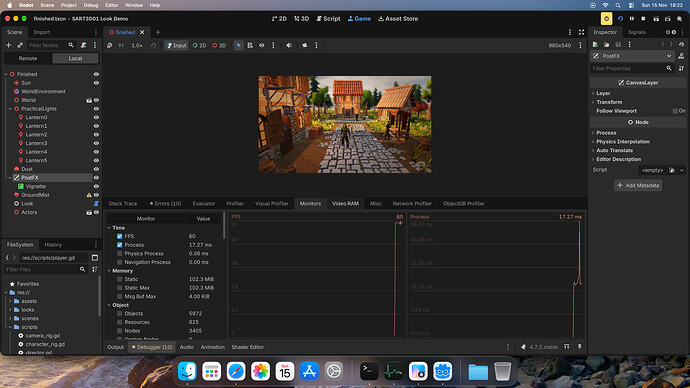
switched to mobile rendering and it does 60fps now. So maybe it’s something not trackable from visual in Profiler? please notice the GPU doesn’t show times for some reason on Apple
Posts from every feed QUEST has found across the web — blogs, news, podcasts, channels and more.
switched to mobile rendering and it does 60fps now. So maybe it’s something not trackable from visual in Profiler? please notice the GPU doesn’t show times for some reason on Apple
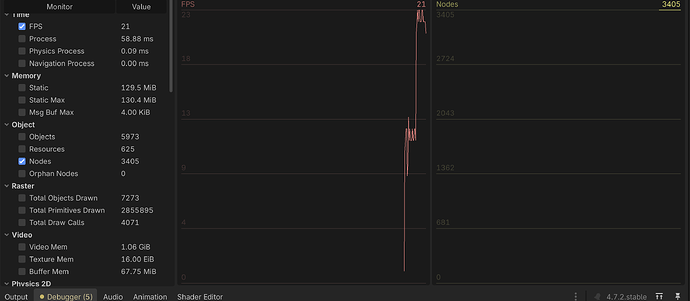
How many nodes in total are you running?
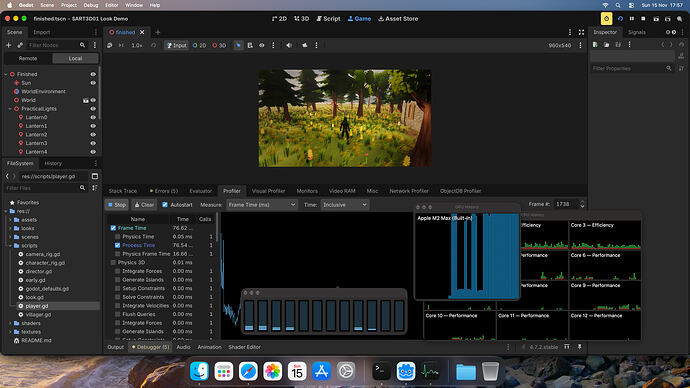
so I choose one frame and tried looking below , but there is nothing what would catch my attention .
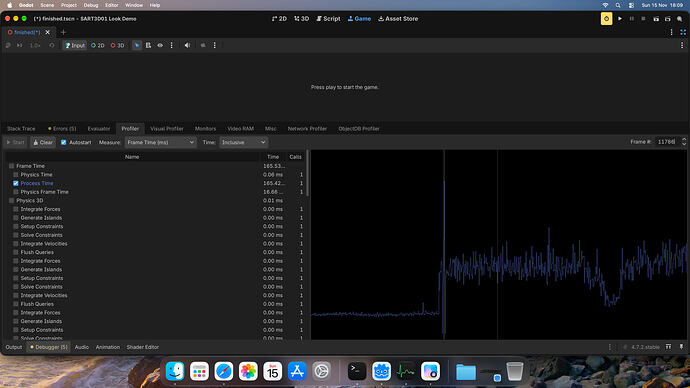
I think this first Profiler tab/graph will help you the most The first section “Frame Time” has very broad sub-sections “Physics Time” is super low, so the next section “Physics 3D” is probably fine, and we can see it’s only using 0.01ms, well under budget. The next “Process Time” however is very high, maybe this is a frame where a lot of loading happened, either way scroll past the “Physics 3D” section and you’ll find a break down of which scripts and which functions in those scripts are…
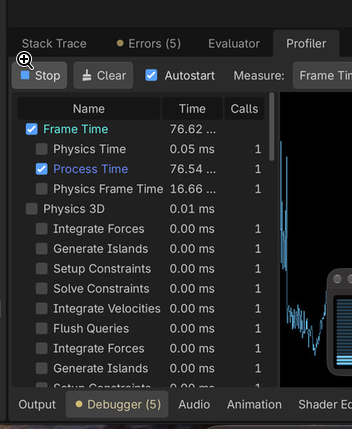
Look at the time breakdown in profilers to determine which things eat up most of the frame time.
thank you this actually worked i didnt know it was that simple!
Tracking animation state is a little different, sadly only using AnimatedSprite2D is very limited. An AnimationTree could represent this “run start into looping run” in a state machine, and an AnimationPlayer can perform basic automatic transitions too. Converting from solely AnimatedSprite2D to using AnimationPlayer (+ AnimationTree if need be) isn’t too difficult, maybe time consuming though.
As a general hint, If you want to reparent, don’t do remove_child() followed by add_child(). Use built in reparent() instead.
Godot Version 4.7.2 Question I have tested the village scene with bunch of visual, obviously I check GPU history and CPU and graph of GPU makes clear the GPU can’t cope. But what about inside of Godot how to find out what is the most expensive ?
Well actually, I think you guys have answered my questions already, so I won’t really bother to write a minimal example. But yes, what I posted isn’t minimal, sorry. It looks like the x-global_scale flipping is a little oddity of the engine and I just need to hard-code logic in my utility method to counter-act it. Thanks for all the help from everyone in this thread! I was going crazy rubber-ducking with Claude and GPT lol.
I already use a keybored and mouse for it and a screen so its not a touchscreen problem
Ahh I see. Give me a bit of time.
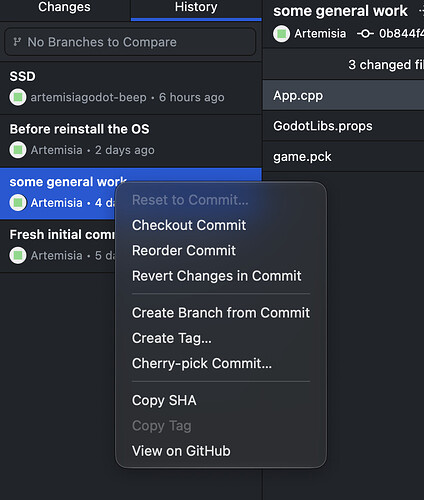
You can detach and make new branch if that help’s you. Select the Checkout Commit
c.c. @normalized Precisely @boe_taito , thanks for explaining. Upon re-parenting, Godot preserves local transform values and global transform is recalculated relative to the new parent (or scene root). I don’t want the above to happen; I want the object to retain its global transform values. So I account for that with: #Utils.gd func parent_add_child_without_transform(parent: Node2D, child: Node2D) -> Transform2D: var global_transform = child.global_transform parent.add_child(child)…
Dad3353: Do none of you use GitHub Desktop..? As a (primarily) GUI developer, other people’s GUI’s confuse the heck out of me.

Maybe I should be keeping the ‘empty’ Test Project, creating a new Branch for doing my Tests, then just deleting this branch once testing is over..? Hmm… I might try that. Do none of you use GitHub Desktop..? It’s saved my bacon more than once; I had a fairly new SSD turn into a brick, taking all my Godot stuff with it. I was able to restore all the Projects I had committed to GitHub, very easliy.
No, not like that. That’s not minimal. A single sprite (or other visual 2d node) and a single tween. That would be considered minimal.
I assume you do want to keep your old test work, or else your question doesn’t make sense to me. I agree with @artemisia that the console version is a lot easier to use than the desktop GUI. To visualize the entire graph you can always run gitk --all from the terminal. So what I would do in your case is: look up the commit hash of the very first commit git checkout entercommithashhere git checkout -b my-new-main-branch Do some work git add . git commit -m "all the new work." git push -u origin…
sorry, took me a while github.com GitHub - ventsiR/godot_flip_demo: Demonstration for a Godot forum post question Demonstration for a Godot forum post question also @boe_taito if curious
artemisia: you might want to check the reset option as well This option in the ‘History’ is always ‘greyed out’, whichever Commit I select. I can never select it, although I think it would (should..?) do precisely what I need. Why would it be greyed out..? I’ve searched, but not seen any relevant info on the subject for now.

the GitHub console have way more controls than Desktop App but you should be able to do it in GUI as well GitHub Docs Reverting a commit in GitHub Desktop - GitHub Docs You can use GitHub Desktop to revert a specific commit to remove its changes from your branch. you might want to check the reset option as well GitHub Docs Resetting to a commit in GitHub Desktop - GitHub Docs You can reset to any commit up to the one that was last pushed to the remote branch.

Inexperienced User of GitHub Desktop, I have a particular use for it. My main Project is rather large and cumbersome, so I have a pared-down ‘lightweight’ version, with the main elements only, that I use for testing new ideas or features/addons etc. This Test Project is committed to GitHub as I work on it, but eventually, my tests are complete. I archive this ‘finished’ Project, and now wish to revert the Test Project to its original state, before I started testing, so that I may now test some…
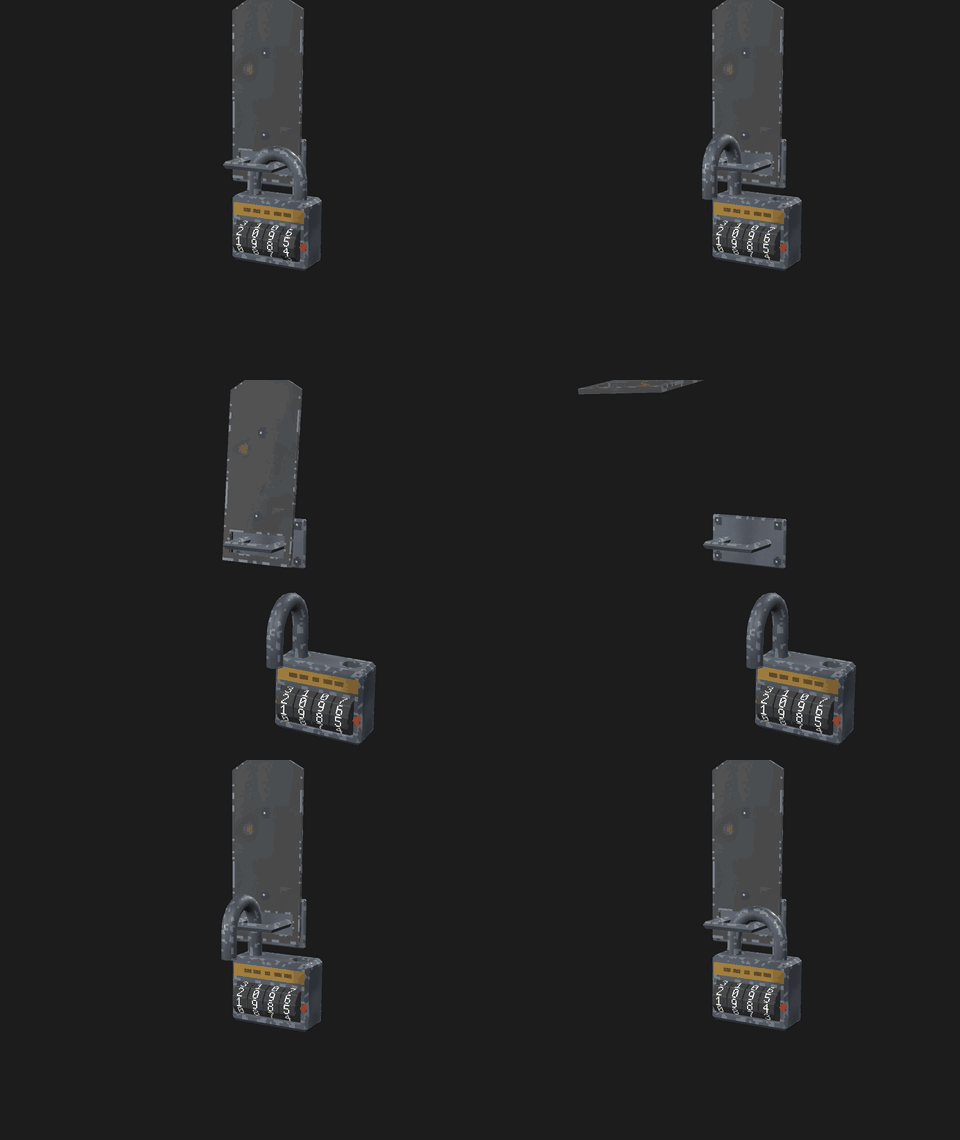
I made a small set of PS1-style lock puzzles that work in Godot 4 out of the box: a 4-wheel combination padlock, a keyed padlock with a key, and a hasp they hang on. Hooking one up looks like this: var lock: CombinationLock = preload("res://psx_locks/combination_lock.tscn").instantiate() lock.name = "CodeLock" lock.code = PackedInt32Array([1, 9, 8, 5]) add_child(lock) var hasp: Hasp = preload("res://psx_locks/hasp.tscn").instantiate() hasp.lock = NodePath("../CodeLock") # set before add_child…
I was thinking turn left and right. But now I realize that this doesn’t allow looking up and down. So moving forward or backward would require holding a mouse button. Not sure if that would feel good, but I guess that’s also try out and see.
PhysX 5.1 + Blast + Flow + PXTGI SWRT Global Illumination (Alternative to Lumen) – Released for Godot and available here: Discussion - PhysX5 Module for 4.7.3 rc & 4.8 Dev · uno1982/godot · Discussion #32 · GitHub Fork - GitHub - uno1982/godot at feature/physx5-module · GitHub Example / Benchmark Repo - GitHub - uno1982/godot-physx-example: demo, benchmark testing project for godot physx5 · GitHub
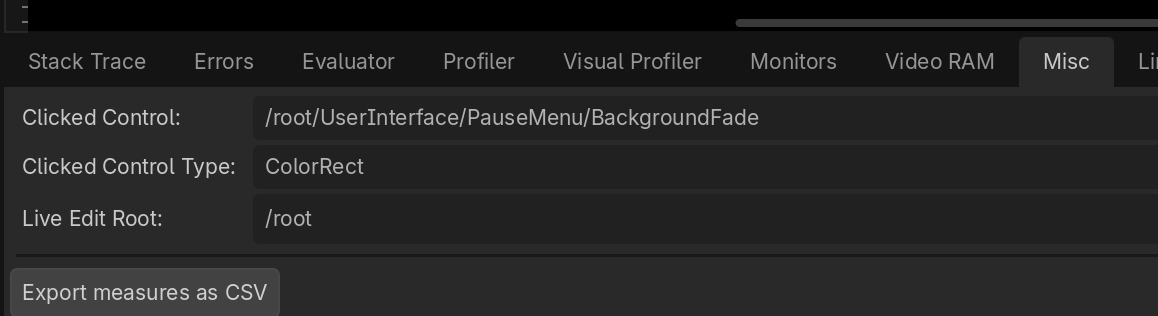
thank you!! it turned out the scene transition colorrect never got deleted, so it laid on top of the scene
That means another Control node is blocking your button, you likely loaded some kind of HUD or other menu element(s) that stay even after you switch your scene back. If you launch your game and get to that state where your button doesn’t work, try clicking it, then open up Godot’s debugger and go to the “Misc” tab, you will be able to see what you actually clicked on, and you can figure out how to remove it.
the button doesnt run the switch_to() function once it gets clicked, but it does print “a” (its in the ready function), whats weird is when i hover over the button it doesnt even get highlighted, so i dont know what could be the problem.
Are you able to confirm that the button is being pressed? Does the “pressed” string get printed at all? And when they do stop working, do you get any warnings or errors in the console?