Can’t turn on my computer after installing Kubuntu 26.04
please how do « explore the EFI partition (/dev/sda1 in your screenshot) » ?
Posts from every feed QUEST has found across the web — blogs, news, podcasts, channels and more.
please how do « explore the EFI partition (/dev/sda1 in your screenshot) » ?
You should have Microsoft Boot files in the ESP of your Windows disk (240GB Kingston). Attach your Kubuntu USB, boot into a live session and explore the EFI partition (/dev/sda1 in your screenshot)
Well I am bit lost this time, but here is the output! script output (click for more details)
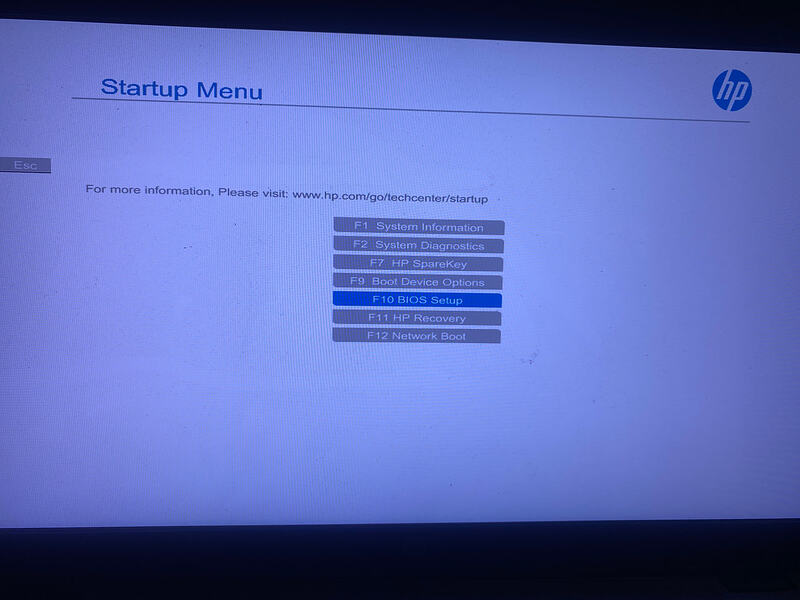
I remove 512Go disk but windows don’t boot again always black screen. here is the pictures:
Please remove disk nvme0n1 512GB Your PC should still be UEFI (native) Does Windows boot OK?
Hi. Yikes I’m really sorry for my post. I don’t understand what I did wrong - please explain. I certainly meant no harm or disrespect. Was it my snap adjective - it was meant as a humorous rib on snap - not in any way malicious. Maybe I should have added a ‘smiley’ icon. The post has been pulled so I can’t edit it. I thought is was helpful as it resolved my Tbird problem. You have my full consent to edit the post to your satisfaction. My apologies, M…
ahonorat: Ok, I did not noticed for package C10 to C3! And in your dmesg_sleep2.txt : ahonorat: [ 194.692347] Timekeeping suspended for 35.628 seconds It means all 12 CPU cores stayed asleep inside mwait(C10) for the entire 35.6s without waking up once. Instead, the hardware power controller itself dropped the package from C10 to C3 because of the 131 us latency (LTR) request from 00:16.0 after sleep #1 resume… Run one last test to confirm, and no reboot needed- sudo cat…

As suggested by @yancek, boot into a Try Kubuntu live session, open a terminal and enter sudo parted -l Please post the output within code tags </> Edit: The screenshots arrived as I was posting this reply Back in a few moments…
yancek: sudo parted -l thanh i tried what you say. here is the picture:

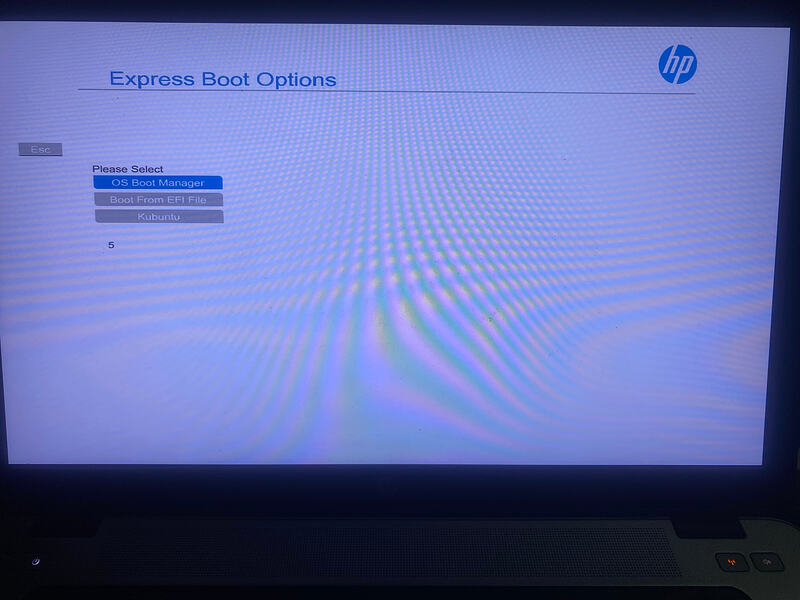
sorry for late response I make the holiday of 01/11. I tried what you say but i can’t select windows and ubuntu with f5 or f6 when i ´ m one OS Boot Manager.
@beez131 Thanks for testing all of it, and for the logs. They answered nearly every question. The screen, keyboard, brightness and volume keys, disk, all four USB ports, charging, battery status and Bluetooth all work, which is about as far as a first device tree gets. Wi-Fi The Wi-Fi card does start, so the tree’s part of Wi-Fi is right. What’s missing is a small file with the settings for this exact card, called board data. Linux has a collection of these files, but none for the card in the…
@glathe Thanks, that was the missing piece for the install. The source is in the gist too, x1p42100-acer-aspire-ai.dtsi plus the two small .dts files, but it sits below a long README and is easy to miss. I’ve now put the T14s compatible into both .dts files, with a comment on why it’s there, and rebuilt both blobs. The A16 blob is now the same as yours, and the Aspire 14 has it too. The README also has a new Wi-Fi step, which I’ve explained to beez131 below.
I’m not sure why this is even a discussion at this point. Development literally just opened on Friday, so there hasn’t been time to design the new mascot nor do a wallpaper competition. There’s a lot of time yet, so expecting stuff to be implemented this early is not only unrealistic, but, from a developer perspective, is quite off-putting.
Ok, I did not noticed for package C10 to C3! All the outputs: sudo grep -v "[[:space:]]*0" /sys/firmware/acpi/interrupts/ /sys/firmware/acpi/interrupts/ff_rt_clk: 2 disabled unmasked /sys/firmware/acpi/interrupts/gpe6E: 9559 EN enabled unmasked /sys/firmware/acpi/interrupts/gpe_all: 9559 /sys/firmware/acpi/interrupts/sci: 9559 cat dmesg_sleep1.txt (click for more details) cat dmesg_sleep2.txt (click for more details)
I have added the compatible as said. Did this in the decompiled dtb, original source was not in @birkskyum 's writeup.
ahonorat: Hum, the only thing I notice is that device 15.0 has no PM log during the second suspend, not sure if this info is relevant. 00:15.0 is fine - it stayed in D3 from runtime suspend after sleep #1, so the kernel skipped it on sleep #2. ahonorat: Nice! Here is the output, I am not able to spot anything this time. Here Package C3 jumped by +34.3s (9,166,295 to 43,484,881) during sleep #2 while IRQ 9 (acpi) fired +367 times (~10 times/sec), knocking the CPU out of C10 into C3 after 1.18s……
Hum, the only thing I notice is that device 15.0 has no PM log during the second suspend, not sure if this info is relevant. lspci -s 00:15.0 -vv (click for more details)
I’ve updated my ignored-directories-with-content key to not exclude folders with .git files, so that’s good. Running: localsearch extract test.py Returns: Metadata extraction failed, Unknown target graph for uri:‘file:///home/timbo/Cloudbase/Useful%20docs/House/test.py’ and mime:‘text/x-python’ I tried using gsettings set org.freedesktop.Tracker3.Miner.Files text-allowlist “[‘.txt’, '.md’, ‘.mdwn’, '.py’, ‘.cpp’, '.yaml’]” to add .py, etc but this returned: No such key “text-allowlist”
Nice! Here is the output, I am not able to spot anything this time. script output (click for more details)
@nikolaim Hi, and welcome. I had a look at the post and the README, and I’m struggling to work out what Cassinux is for. From what I can see it’s Kubuntu with different wallpapers, some tweaked Plasma defaults and the Ubuntu branding removed. That’s a fine thing to do for yourself, but it’s not obvious why anyone would pick it over Kubuntu, which already exists, already has a team behind it, and gets security updates without anyone needing to rebuild an ISO in Cubic. The same goes for the…
@dmxplx It’s a fun experiment, but I’m not sure Core is where something like this would earn its keep. A big part of the point of Ubuntu Core is that it’s hard to break in the first place. On a deb-based Ubuntu desktop, a single bad package, a half-finished upgrade or a dodgy PPA can leave you with a system that won’t boot. Then you’re in recovery mode, poking at apt and dpkg and reading logs. That’s the situation where a plain-language assistant might help. Core doesn’t work like that. The…
You will have to ask the Community team, they are usually the ones organizing this, no idea when they plan to start with it this time (but I think they usually also wait until the main artwork is ready so community people can derive from it with their creations) …
It would help members to help you if you posted ‘which’ windows OS release you are using as well as which Kubuntu. From what you posted, your windows OS was an EFI install. You can get some information on this by following the instructions in post 2 as well as by using the Kubuntu installer/live USB and booting it, opening a terminal and running the command: sudo parted -l and posting the complete output here. This will show whether you have a GPT drive, an EFI partition(s) as well as other…
@jnsgruk, reading about Ubuntu Core Desktop and its focus on resilience and recovery got me thinking. I recently came across BootGPT on the “A La French” Discord server. Its MBR is only 512 bytes of hand-written assembly (not Rust sorry), and it loads an 11.5 KB int8 model (thanks to Mehdi for the summary). It runs with no OS and no C runtime. It’s an experiment that generates fictional Linux boot logs rather than running real diagnostics, so at this stage it’s closer to useless digital art…
corradoventu: the picture is still stonking! And it will likely stay like this until the T-Rex artwork is ready to be revealed

Hi - and thanks for your continued help and suggestions. I ran the install command as suggested, cannot see anything different in Audacity. Running both Audacity and Zoom at the same time and looking at the Recording tab in pavucontrol I can see the two inputs and weirdly the levels match each other. I ran alsamixer but can’t see anything obviously amiss.
Text files miner explicitly restricts the allowed file extensions. For a plain text file to be indexed it must be in one of the indexed locations (by default on 26.04 it is $HOME recursively) have allowed MIME type: bor@resolute:~$ grep MimeTypes /usr/share/localsearch3/extract-rules/15-text.rule MimeTypes=text/plain;text/markdown bor@resolute:~$ xdg-mime query filetype wacom/pyvenv.cfg text/plain bor@resolute:~$ Have allowed file name extension bor@resolute:~$ gsettings get…
We have a result! New Ubuntu Community Council 2026