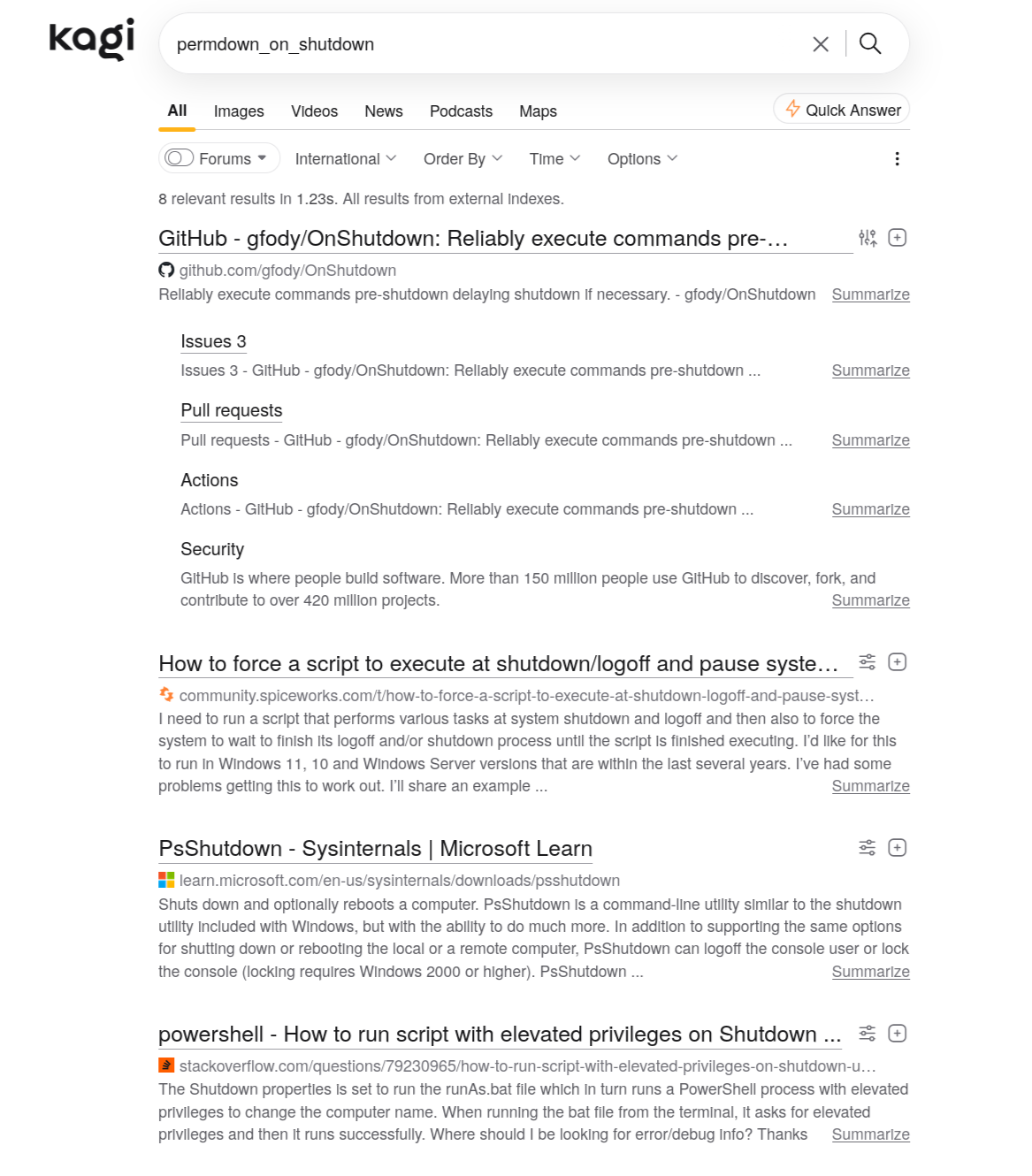
No search results found
Would we classify "no search results" as "really really bad results"? I'm unsure if I should open a new thread 😃 Not a single valid result. Kagi vs Google
Posts from every feed QUEST has found across the web — blogs, news, podcasts, channels and more.
Would we classify "no search results" as "really really bad results"? I'm unsure if I should open a new thread 😃 Not a single valid result. Kagi vs Google
mb UI design is a matter of consistency and user adaptation, in addition to good functional and practical design of course. If you favor familiarity to native apps (though I don't use apps a lot; exclusively use Kagi in my web browser), it is justified perhaps. But again, there are users who expect that 'Settings' page should house everything, and link to dedicated pages for more detailed things. It just doesn't hurt to have a link to the relevant app location from there. Again, the final…
When I run a sports-related search, the sports/live score widget never loads. [Describe what you see: blank space, endless spinner, or nothing at all.] The rest of the results page works normally. Steps to reproduce: Open Kagi Search in Orion Browser Search something sports-related that could output a score Look at where the sports widget should appear. It never renders. Open the Web Inspector console. The error below is logged several times. Console error (repeated 3 times per page load):…
In the bookmarks bar / menu, kagi has a favicon but kagi news does not. When the tab is open, the icon displays on the tab, but the bookmark always remains without an icon. See the following image: This is due to the headers set by the webserver: On news.kagi.com: $ curl -sI https://news.kagi.com/favicon.ico | grep -iE '^(cache-control|content-type):' cache-control: no-cache, no-store, must-revalidate if(window.hljsLoader && !document.currentScript.parentN…

nichu42 TOR is not an option. It’s basically unreachable even with a bridge. Spending an hour just trying to open Kagi’s homepage isn’t fun too. VPN, yes. This is how we deal with the sites that cannot be recovered. But it’s far more convenient and safer without a VPN. We are also threatened to not use one, or we’ll break the law. And someone used a VPN and lost their opportunity for postgraduate reportedly. I understand if Kagi can’t do anything, but it’s worthy of letting everyone know. =(
mb Are you suggesting the design offers categories yet displays articles ignoring them? Regardless, this thread focuses on indicating where users face UX difficulties.
saeidscorp I agree it is very important. Also for credibility of video source (author).
Huge improvements so far. :
After testing, I found the issue is caused by Kagi’s search box having both the autocorrect="off" and spellcheck="false" HTML attributes. Removing either one restores the Simplified/Traditional Chinese conversion feature. Could users have a switch to enable or disable spellcheck?
We're rolling out fixes in the next update. Stay tuned!
[cleanup] Escaping probe completed 2026-11-18 — payloads fully escaped server-side, no execution. Authorized engagement note.
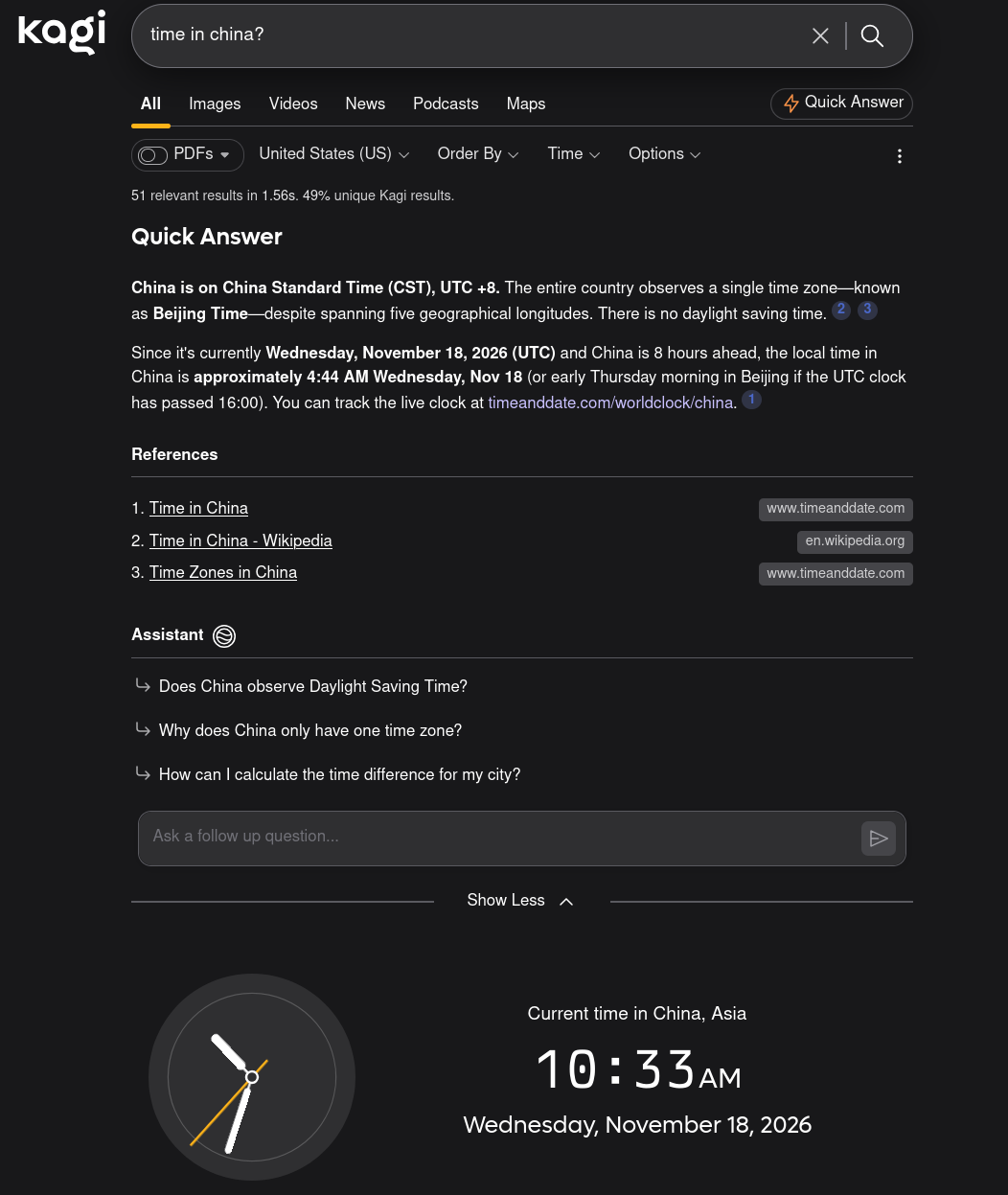
I wanted to know what time it was in China, so I searched "time in China?". This activated both the clock widget and Quick Answer. The widget was correct + useful, the Quick Answer was off by ~six hours, and probably not necessary for this query. Node was US-WEST, but I don't think y'all need that info for this one. I think a better outcome would have been either: Don't activate Quick Answer if you have high confidence a widget will answer the query, or Give Quick Answer the current time (in…
Ratik Please, please, please, if you insist on the border, at least let me disable it. It still doesn't match the radius of my screen, and doesn't help me in any way. Thank you.
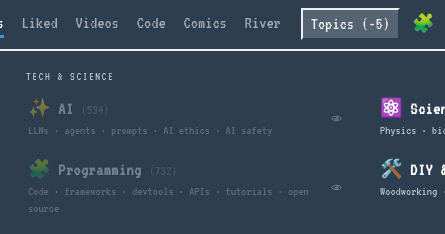
The feature doesn't seem to work as it is intended. The puzzle piece icon says it has identified the page as "programming" related, while I've attempted to filter those out.
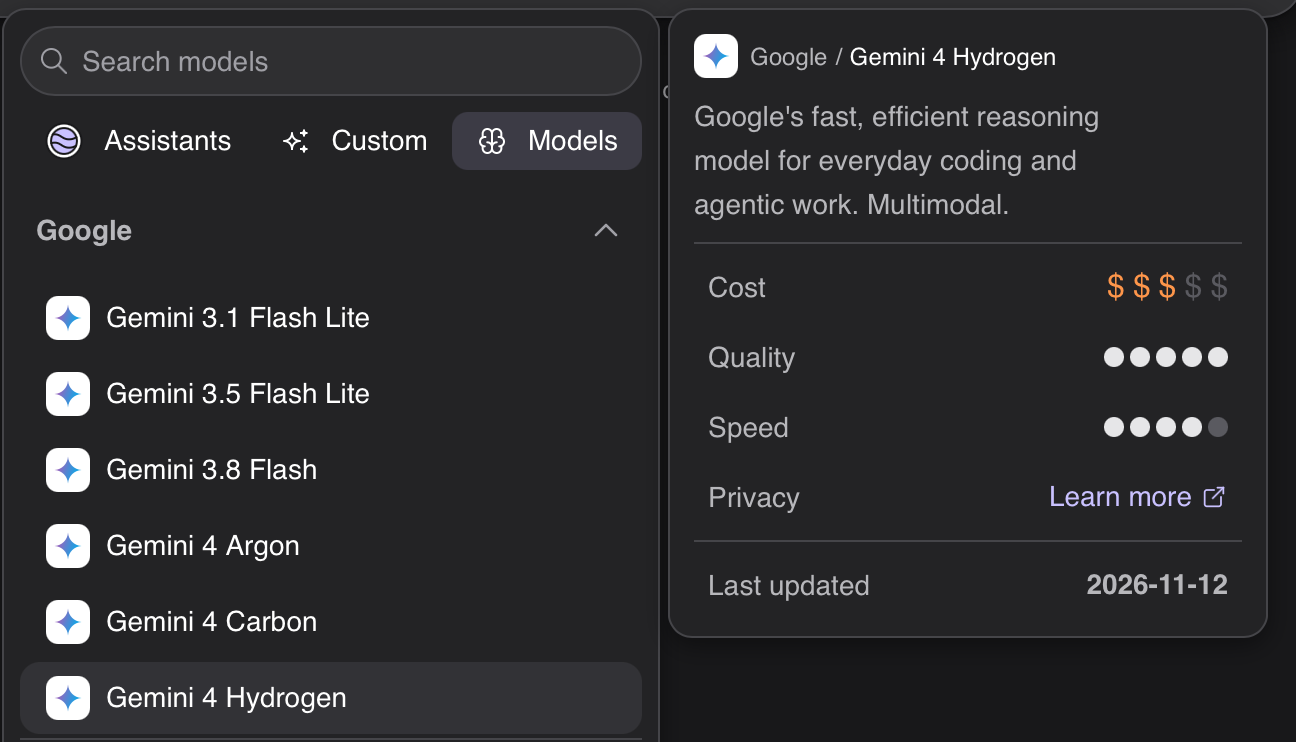
Have the same issue. Tested like this: in user settings add line saying ALWAYS START YOUR RESPONSE WITH "Here you go buddy:". Who follows this instruction: Quick and all in "Models" tab. Who does not: all in "Custom" tab (built-in and user-defined).
Hey @SkyDotBit I see you liked @mb 's message above — would I be correct in assuming the widget behaves as expected for you now?
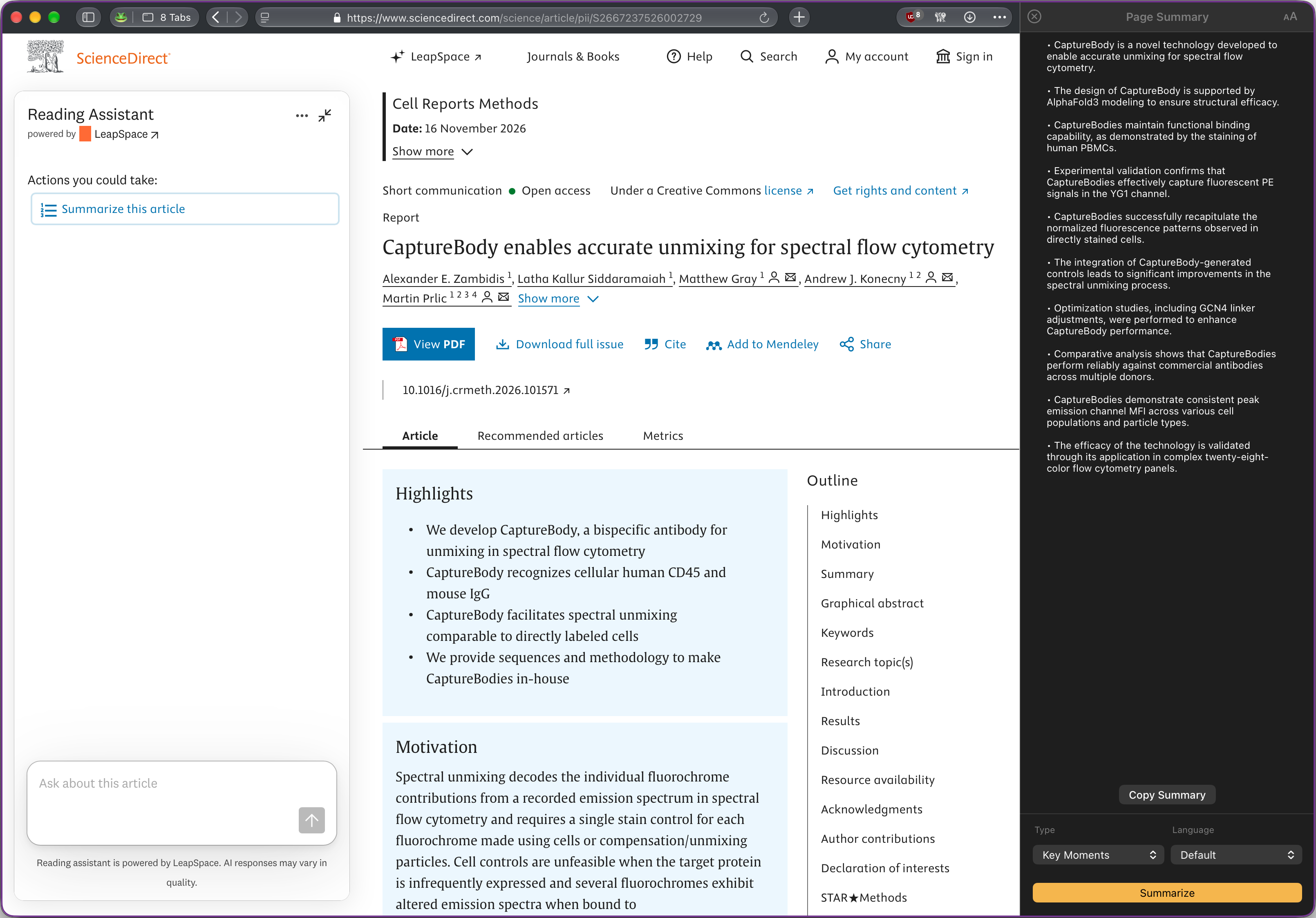
qualitaetssiegel Hey, I looked into this again using the example you provided. On ScienceDirect, I opened https://www.sciencedirect.com/science/article/pii/S2667237526002729 and was able to generate a page summary without issues: However, if the same article is opened as a PDF, a summary cannot be generated: Does this match your experience? If I had to guess, the summarizer cannot access the PDF files on ScienceDirect, which is why it fails there.
Currently the Assistant always defaults to the built-in "Quick" assistant when clicking one of the 3 suggested follow-up questions (or writing in your own) that are generated at the bottom of a search Quick Answer; all of the links have &profile=ki_quick appended to the end of the URL regardless of whatever the default assistant is set to. Ideally these follow-up questions would respect the default configured under Settings > Default Assistant or at least have a separate option specifically for…
Kagi had listed their search indexes in the past, but it seems that they have removed it altogether. So here is the list of search indexes they currently use, or haved used, who knows... Kagi Teclis - Kagi’s proprietary web index - Kagi describes Teclis as its own web index. It focuses particularly on non-commercial and lesser-known content. Kagi TinyGem - Kagi’s proprietary news index Google - External general-search index - Older Kagi documentation explicitly named Google. Current…
I would greatly appreciate a /batch directive that could be used for long form tasks and research. The 50% cost savings while letting the systems churn on non-interactive prompts would be a massive win, especially with the prices of some of the latest models.
@leopoldarrestrom Great to know!
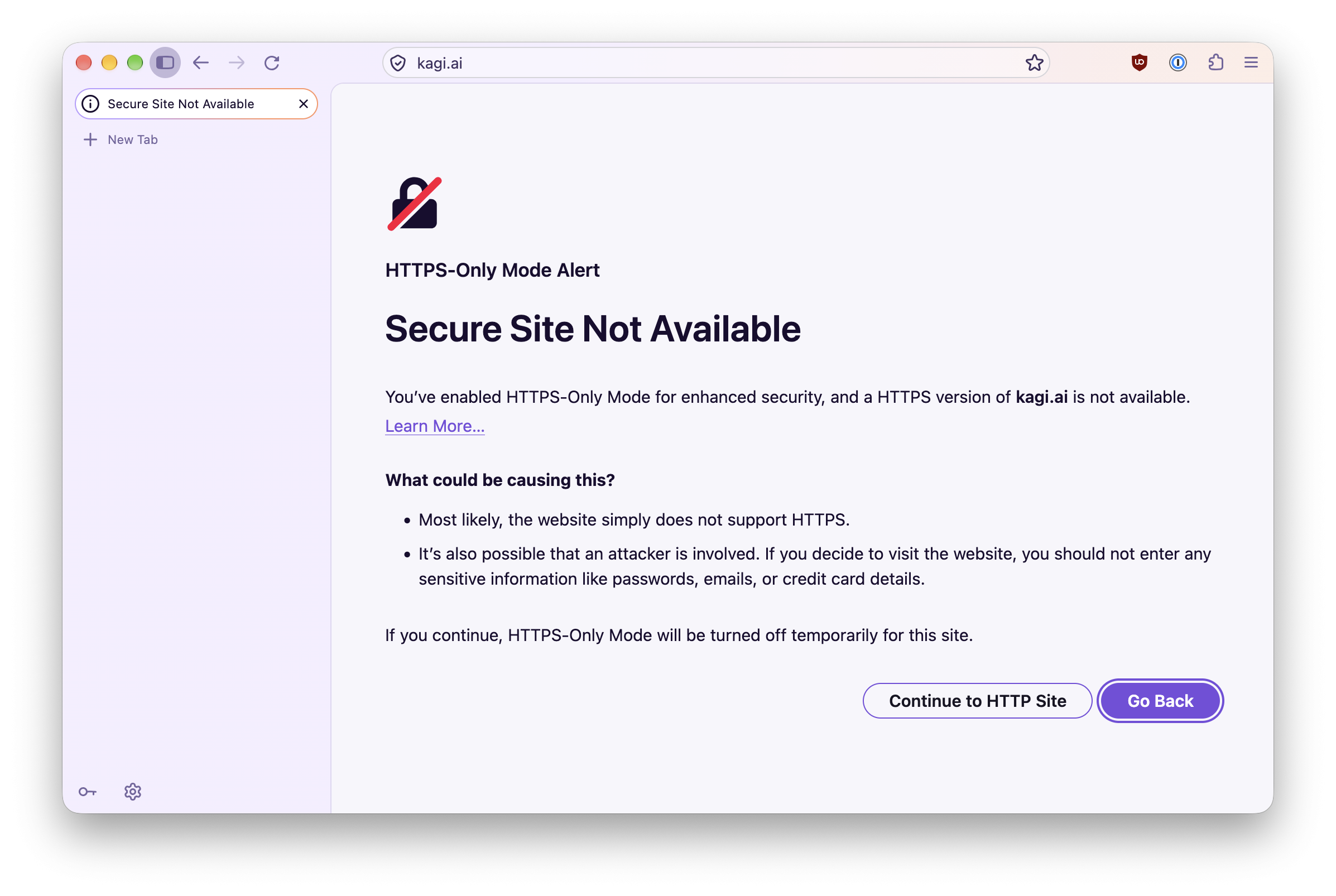
http://kagi.ai redirects to assistant.kagi.com. However, browsers try to open websites over https first, https://kagi.ai doesn't respond, and browsers either stuck or show a security warning. $ curl -Iv https://kagi.ai/ * Host kagi.ai:443 was resolved. * IPv6: (none) * IPv4: 162.255.119.38 * Trying 162.255.119.38:443... * connect to 162.255.119.38 port 443 from 192.168.8.242 port 61606 failed: Operation timed out * Failed to connect to kagi.ai port 443 after 75006 ms: Couldn't connect to server…
Ratik I use the desktop browser exclusively. See no diff
Widgets are great! The problem is, they're a long tail sort of phenomenon. Each one might be very useful to a small number of users, but cost the same for Kagi to implement in-house. This seems like precisely the situation where you might get contributors, and where open source could lead to a better solution than closed. Additionally, since Kagi's resources are limited, this might allow for better implementation of the widgets that exist. An example of the former might be implementing support…
That is very weird. Does this happen every time for you? Let me dig into this to see if I can reproduce. For clarity, what version of iOS are you using? And what version of the extension for Safari are you using?
No this issue stopped occuring around July.